
Setting up your new Freedom account
Welcome to Freedom Mobile! Creating your account takes less than 5 minutes and doesn’t require you to buy a plan or activate a device yet. Once your account is ready, you’ll be able to browse mobile plans, phones, travel eSIMs, home internet and TV at your own pace. Here’s exactly what to do.
What you get with a Freedom account
Even before you activate a mobile plan, a Freedom account gives you:
- Access to the full plans catalog with member pricing.
- Ability to reserve a phone number and save a device in your cart.
- A place to explore travel eSIMs for upcoming trips.
- Faster checkout when you’re ready — your personal details are already saved.
- Access to Home Internet and TV bundles once you activate a wireless plan.
You can pause anytime and come back — nothing expires while your account sits idle.
Before you start
You’ll need just two things:
- A personal email address you can access right now.
- A strong password — 8+ characters with at least one uppercase, one lowercase and one digit. If you’d rather use SMS for your security codes, have your mobile phone handy too. Otherwise email works fine.
Tip: use a password manager (iCloud Keychain, 1Password, Bitwarden, or your browser’s built-in one) to generate and remember a unique password. Re-using passwords across sites is the #1 way accounts get taken over.
Step 1 · Create your account
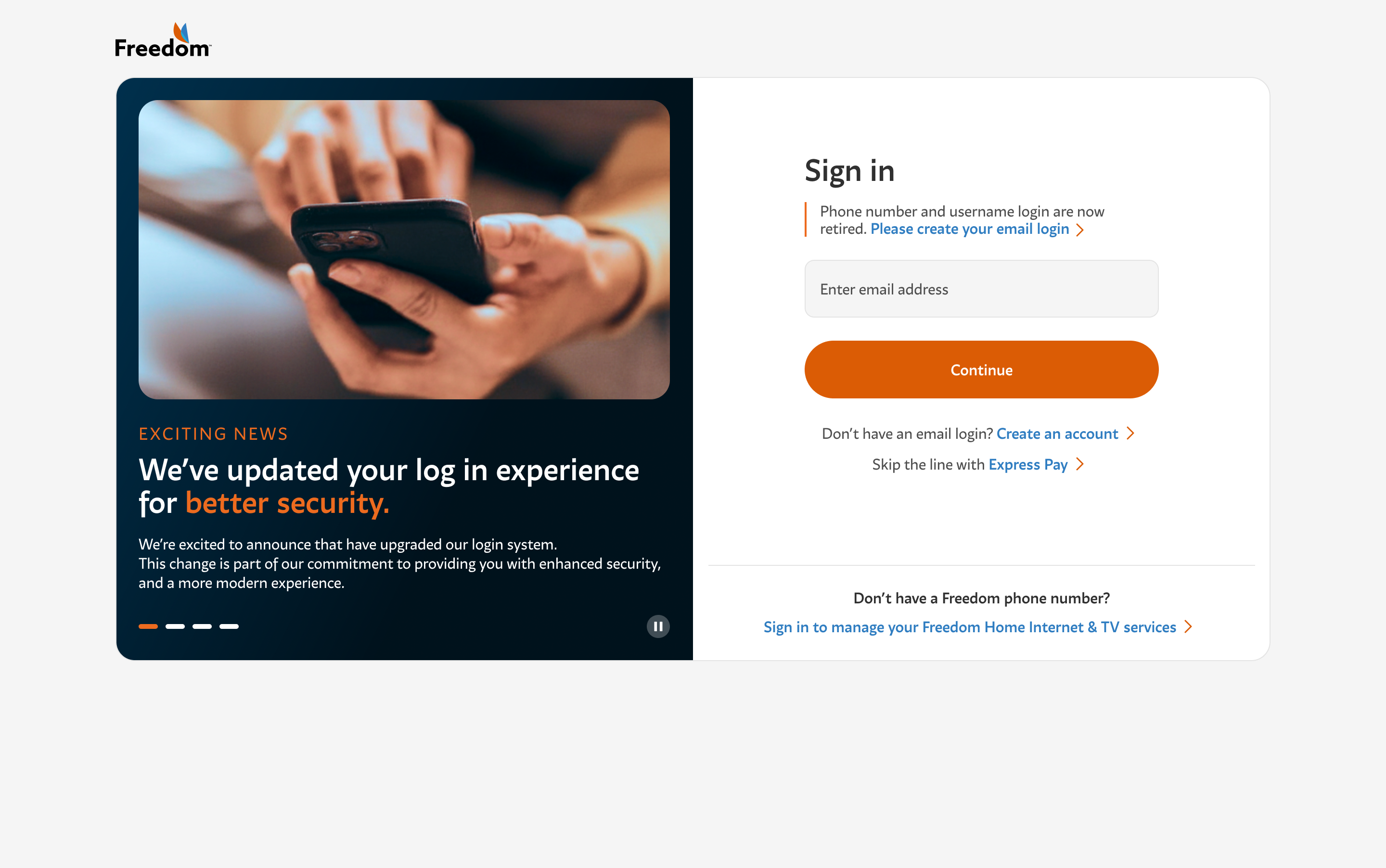
Head to freedommobile.ca and tap Sign in. On the sign-in landing, tap New to Freedom? Create an account.
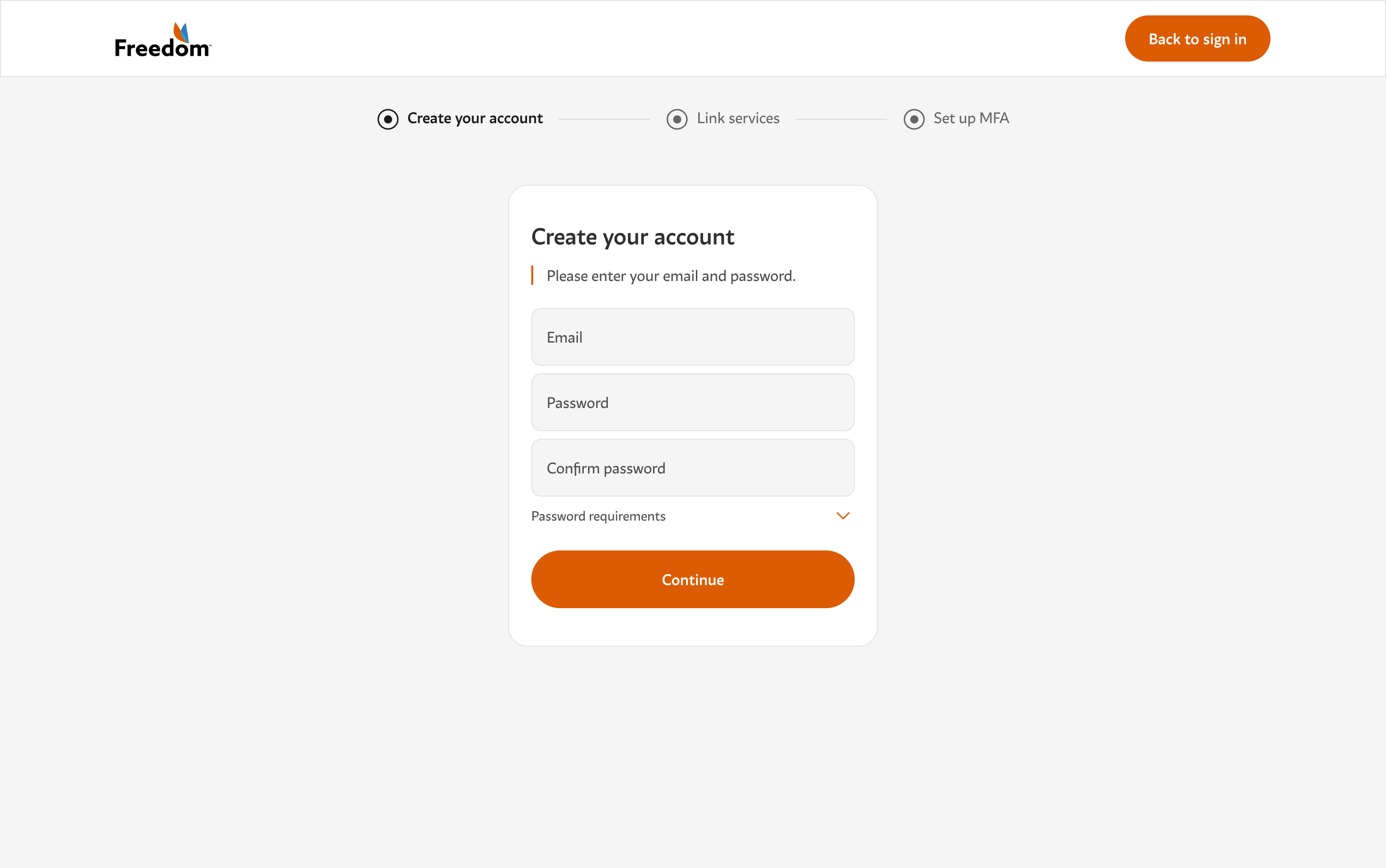
On the Create your account screen, fill in three fields:
- Your email address.
- A password. It must be 8+ characters with one uppercase, one lowercase and one digit.
- Confirm your password in the third field.
The Password requirements panel below shows a green check next to each rule as you meet it. When all five are green, tap Continue.
Step 2 · Verify your email
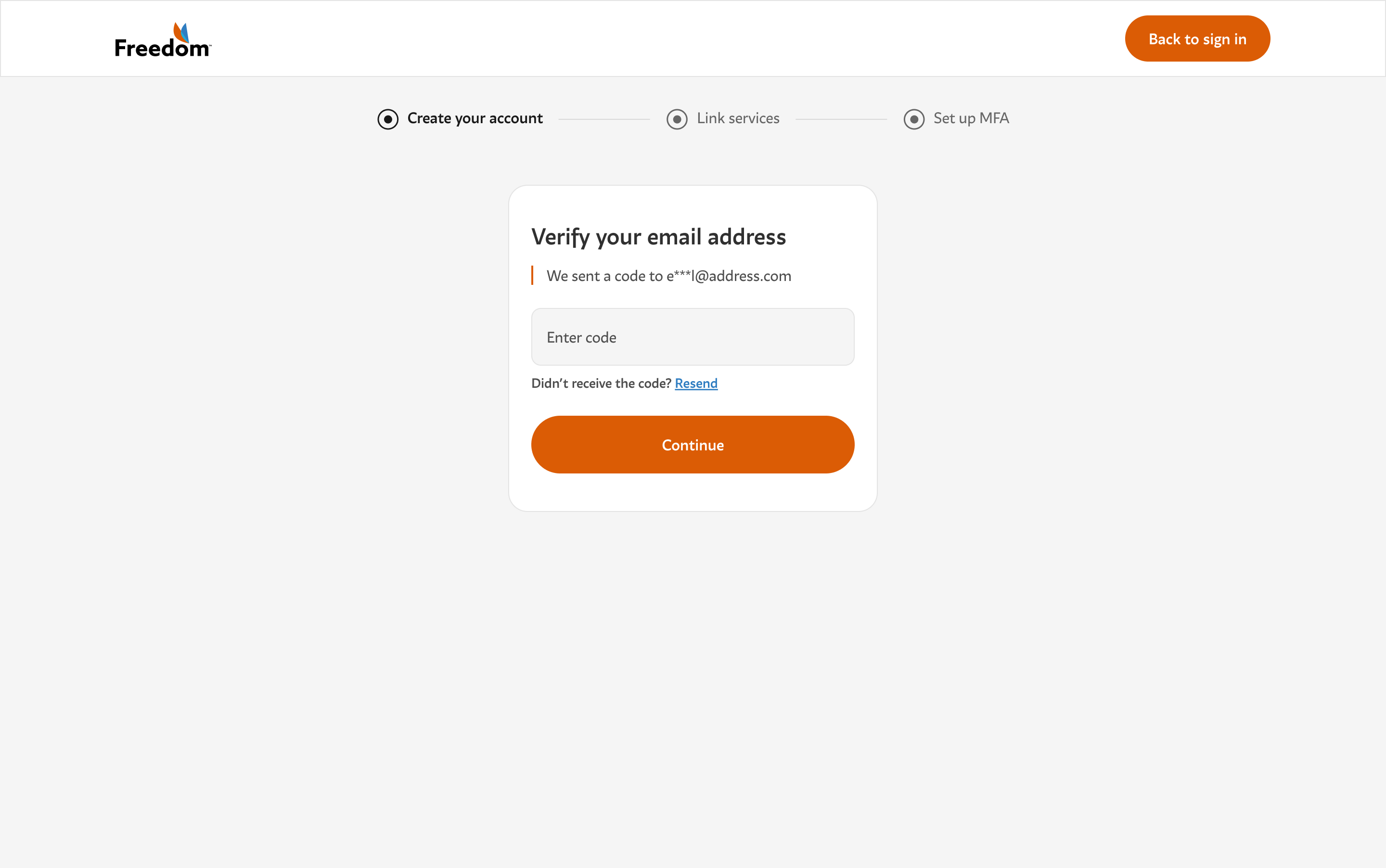
Right after you tap Continue, we send a 6-digit code to the email you provided. Open your inbox — it usually arrives within seconds.
Copy the code, come back to the tab, and enter it in the Enter code field. Tap Continue.
Not there? Check your spam and promotions folders. If it’s still missing after 2 minutes, tap Resend. If your inbox blocks Freedom completely, try creating your account with a different email address.
Step 3 · Confirm you’re a new customer
On the next screen, we ask whether you already have a Freedom Mobile service to link, or whether you’re brand new. Tap the second card — Continue account setup.
Why doesn’t this jump you straight into shopping? We finish securing your account first (MFA) so that any future purchase, plan change or billing update happens on a fully protected account.
Step 4 · Set up multi-factor authentication (MFA)
MFA adds a second security check to your sign-in. Even if someone learns your password, they can’t get in without a fresh 6-digit code delivered to you personally.
You’ll see two options:
- Email — the fastest option. Codes go to the email you already verified in Step 2. No extra setup.
- SMS text message — enter a 10-digit mobile number and we’ll text you the codes. Useful if you often don’t have your email handy.
Pick one, enter the 6-digit code we send you, tap Continue, and MFA is set up.
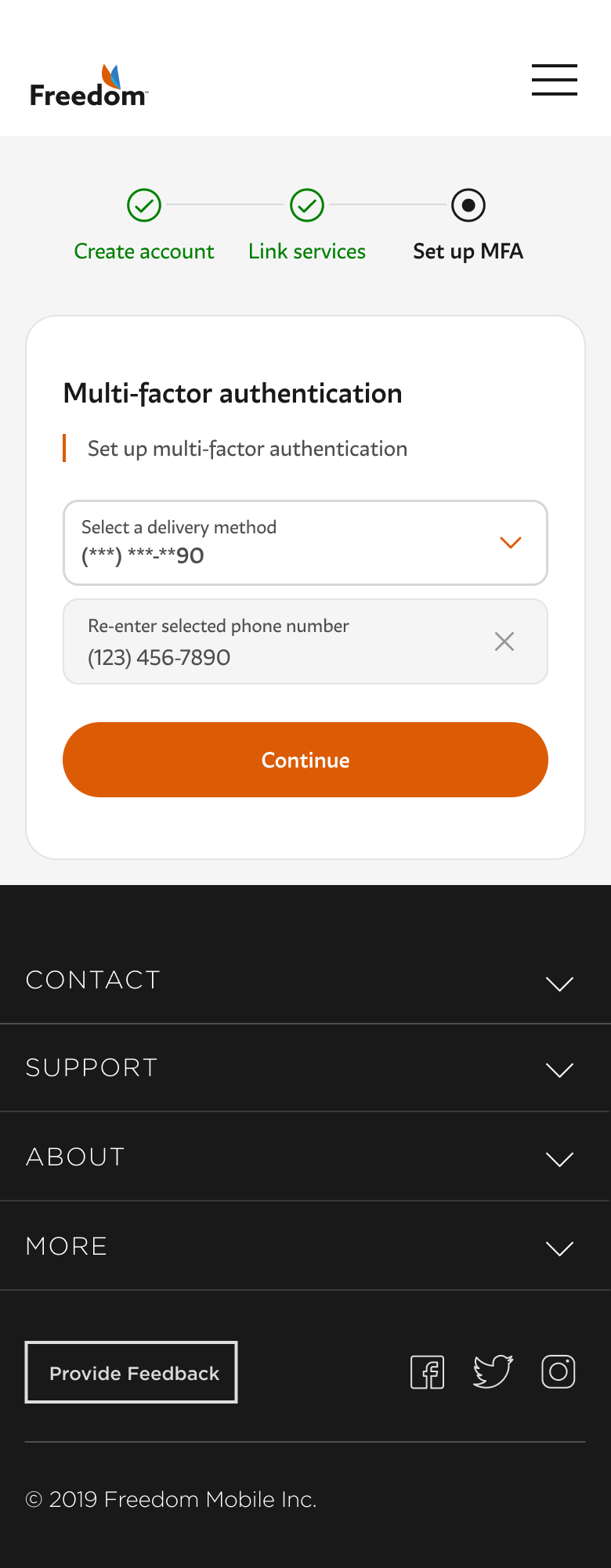
Which is more secure? Both are secure. Email is convenient because it uses the account you already verified. SMS is nice if your email is on a device you don’t always have with you. You can change your choice later from My profile.
Step 5 · Explore My Account
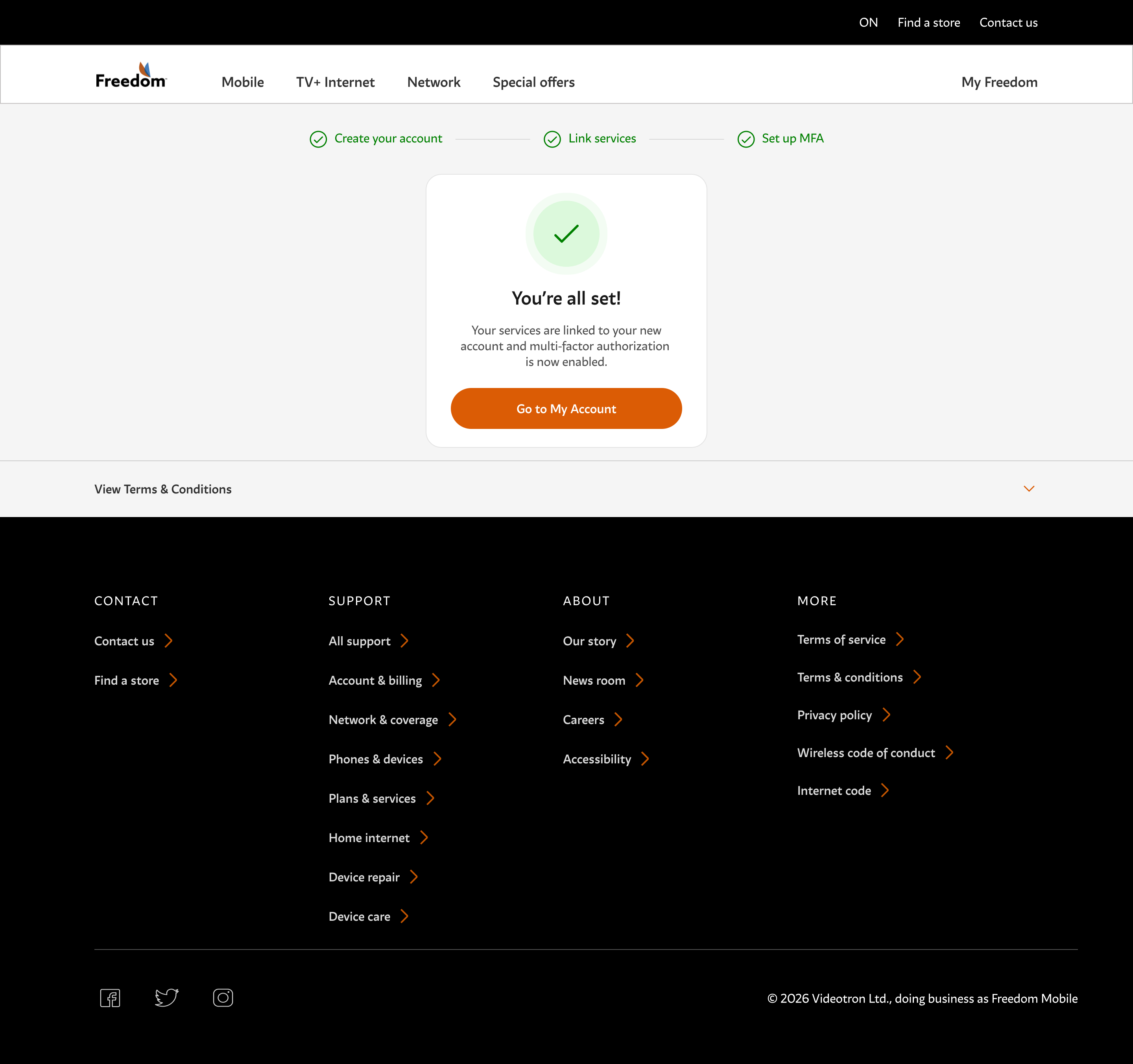
You’ll see a You’re all set! screen. Tap Go to My Account.
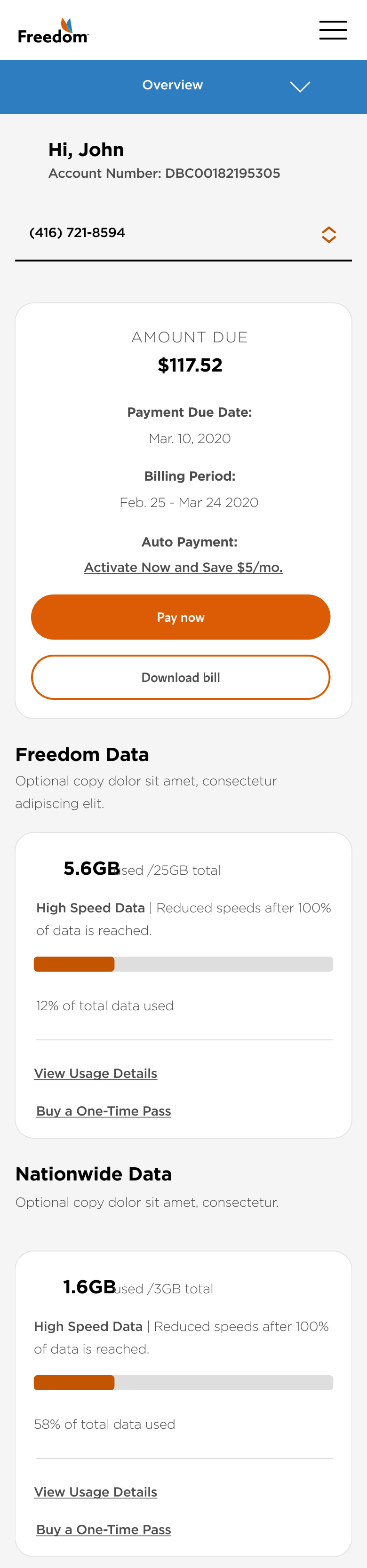
Your My Account dashboard greets you by name and shows the Freedom catalog as a horizontal carousel of exploration tiles:
- Mobile plans — browse plans starting at $35/mo. with coast-to-coast Canadian coverage.
- Devices — iPhone, Samsung Galaxy, Google Pixel and more. Finance a new one or bring your own.
- Travel eSIM — prepaid data for 100+ countries. Activates in minutes on your existing phone.
- Home Internet — fibre-fast home internet, discounted when bundled. Requires an active wireless plan.
- TV — live channels and streaming in one place. Requires an active wireless plan.
Home Internet and TV are locked until you activate a wireless plan. That’s because they’re bundled products — the discount and account model depend on you having a Freedom Mobile line. Activate a mobile plan first, then come back here to add them.
When you’re ready to activate a plan, tap Shop plans on the first tile. Your My Account will unlock billing, usage, add-ons and everything else once your plan is active.
Troubleshooting
The email code never arrived
Check spam and promotions. Add noreply@freedommobile.ca to your contacts. If it’s missing after 2 minutes, tap Resend. If it’s still missing, try a different email — some corporate inboxes block bulk mail.
“That email address doesn’t look right”
Double-check the format. It should be name@example.com with an @ symbol, no spaces, and a valid domain ending (like .com, .ca, .org).
“Your password doesn’t meet all the requirements”
Tap Password requirements to see which rule is missing. All five green checks are needed: 8+ characters, one uppercase, one lowercase, one digit, and both password fields matching.
I picked SMS but never got the text
Check the number you entered — it should be exactly 10 digits without the country code. If the number is correct, some carriers can take up to 5 minutes to relay SMS from Freedom. Tap Resend code if needed.
I want to switch from email to SMS (or vice versa)
Finish the current MFA setup so you can sign in, then go to My Account › My profile › Security to change your MFA method.
Frequently asked questions
Do I need a phone or a Freedom SIM to create an account?
No. You can create the account and browse the entire catalog without any device or SIM. Buy a plan and activate a line when you’re ready.
Is my account free until I activate a plan?
Yes. There’s no charge for creating or holding a Freedom account. Charges start only when you activate a paid plan or purchase a device.
Why isn’t Home Internet or TV available yet?
These are bundled products that require an active wireless plan. Activate a Freedom Mobile plan first, then come back to My Account — you’ll be able to add Home Internet or TV from there.
Can I change my email address later?
Yes. From My Account, go to My profile and update your email. You’ll be asked to verify the new address before it takes effect.
What if I already had a Freedom account?
Existing Freedom Mobile customers should follow the Migrating to the new Freedom sign-in guide instead. That flow links your existing services to a new email login.
Can I use a work or school email?
You can, but we recommend a personal email. If you change jobs or graduate, you’ll lose access to the address you use to sign in.
Can I use an authenticator app for MFA?
Not in this release. Freedom currently supports email and SMS for MFA. Authenticator app and biometric support are on our roadmap for a future update.
How do I close my account?
If you have no active services, contact Freedom support to have your account deleted. If you have an active plan, cancel the plan first (through My Account › Plan & device), then request account deletion.
Were these results helpful?
Don’t see what you’re looking for?
Our support team is happy to help you get set up.